
When it comes to graphic design, two of the most popular tools are Canva and Photoshop. Both offer unique features catering to different needs and skill levels. Canva is known for its ease of use and beginner-friendly approach, making it a go-to choice for quick designs like social media posts, presentations, and simple marketing materials.
On the other hand, Photoshop is the industry standard for professionals looking for advanced editing, detailed image manipulation, and high-quality graphic design. This article will compare Canva and Photoshop, highlighting their strengths, differences, and which tool might be best suited for your specific design needs.
What is Canva?
Canva is a popular graphic design tool used to create a wide range of visual content, including posters, logos, social media graphics, presentations, and more. Founded by Melanie Perkins, Cliff Obrecht, and Cameron Adams, it was launched in 2013 and has grown rapidly due to its user-friendly design and accessibility. Canva supports multiple platforms like Web, Android, Mac, and Windows, making it versatile for different users. Additionally, it’s available in numerous languages, catering to a global audience.
Advantages of Canva
- Beginner-Friendly: Canva’s simple and intuitive interface is perfect for beginners.
- Free Templates: It offers a vast library of free templates for quick and easy design.
- Web-Based: Since it’s a web application, there’s no need for downloads, saving storage space on your device.
- Format Support: Canva supports most popular image formats.
- Background Removal Tool: It includes an automatic background remover, making image editing hassle-free.
Disadvantages of Canva
- Internet Requirement: Canva can only be used with an internet connection, limiting offline access.
- Limited Advanced Features: It lacks professional features like masking and layering, which are essential for complex designs.
What is Photoshop?
Photoshop is a leading graphic design and photo editing software used worldwide by professionals and enthusiasts alike. Developed by Thomas and John Knoll, it was initially released in 1990. Photoshop offers a comprehensive set of tools for creating and editing images, including advanced features like shape tools, selection tools, clone stamps, and pen tools. It has become the industry standard for image manipulation and design, catering to both novice and expert users.
Advantages of Photoshop
- Professional-Grade Editing: Photoshop is renowned for its powerful editing capabilities, making it ideal for professional photo retouching and graphic design.
- Wide Format Support: It supports almost all image formats, ensuring compatibility across different platforms.
- Cross-Platform Availability: Photoshop is available for various operating systems, including Windows and Mac.
- Extensive Templates: It provides a large selection of templates for diverse design needs.
- High-Quality Outputs: Photoshop delivers exceptional image quality suitable for both print and digital media.
Disadvantages of Photoshop
- Subscription-Based: Photoshop is only available through a monthly or yearly subscription, without a lifetime purchase option.
- Resource-Heavy: The software is quite heavy and requires significant system resources, including ample memory and storage space.
Difference Between Canva vs Photoshop
| Aspects | Canva | Photoshop |
|---|---|---|
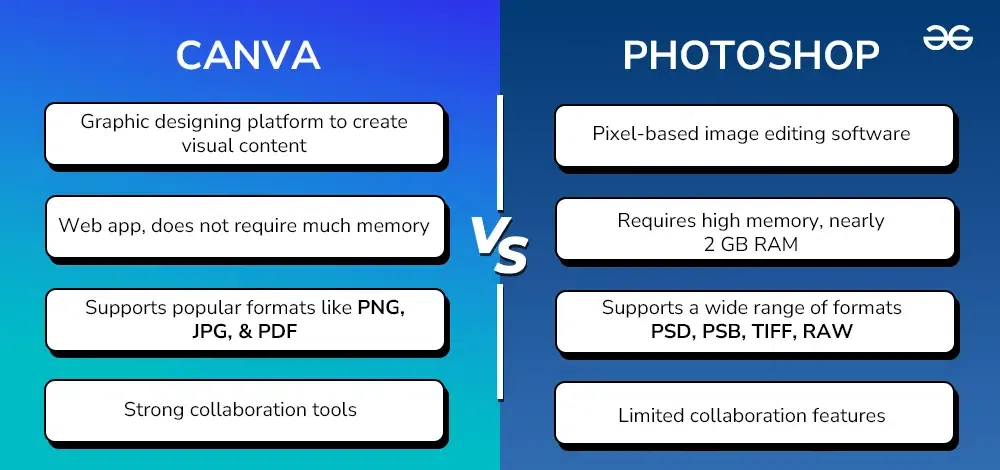
| Purpose | Graphic designing platform to create visual content for different purposes. | Pixel-based image editing software used to create, edit, and manipulate images. |
| Developer | Developed by Canva Incorporation. | Developed by Adobe Incorporation. |
| Subscription Cost | Starts at $12.99 per month. | Starts at $20.99 per month. |
| Language Availability | Available in nearly 100 languages. | Available in 26 languages. |
| System Requirements | Web app, does not require much memory. | Requires high memory, nearly 2 GB RAM. |
| Free Trial Duration | Offers a 30-day free trial to its users. | Offers a 7-day free trial. |
| Target Audience | Suitable for beginners and intermediate-level graphic designers. | Used by expert photographers and designers. |
| Advanced Tools | Does not contain advanced image editing and manipulating tools. | Contains advanced editing and manipulation tools like image repair, blending mode, masking, noise reduction, etc. |
| Ease of Use | User-friendly with drag-and-drop interface, ideal for quick designs. | More complex with a steeper learning curve, ideal for detailed and professional edits. |
| Customization and Flexibility | Limited customization with predefined templates and elements. | High customization with detailed control over every aspect of the design. |
| File Format Support | Supports popular formats like PNG, JPG, and PDF. | Supports a wide range of formats including PSD, PSB, TIFF, RAW, and more. |
| Collaboration Features | Strong collaboration tools for team-based projects. | Limited collaboration features; better suited for individual work. |
| Accessibility | Accessible through any browser with internet access. | Requires installation on a compatible device. |
Conclusion
In the debate between Canva and Photoshop, the choice ultimately depends on your goals and design requirements. Canva shines for those seeking a quick, accessible, and user-friendly platform for creating everyday designs without needing advanced skills. It’s perfect for beginners and small businesses looking for a simple solution. On the other hand, Photoshop remains unbeatable for professional designers and photographers who need powerful tools for detailed editing and creative flexibility. Whether you choose Canva or Photoshop, both have their unique advantages that cater to different levels of expertise and creative needs.